Daniel Ashbrook, PhD
Project idea: Open-source printer-based force gauge
Description
This project idea can be tuned to be appropriate for any student level.
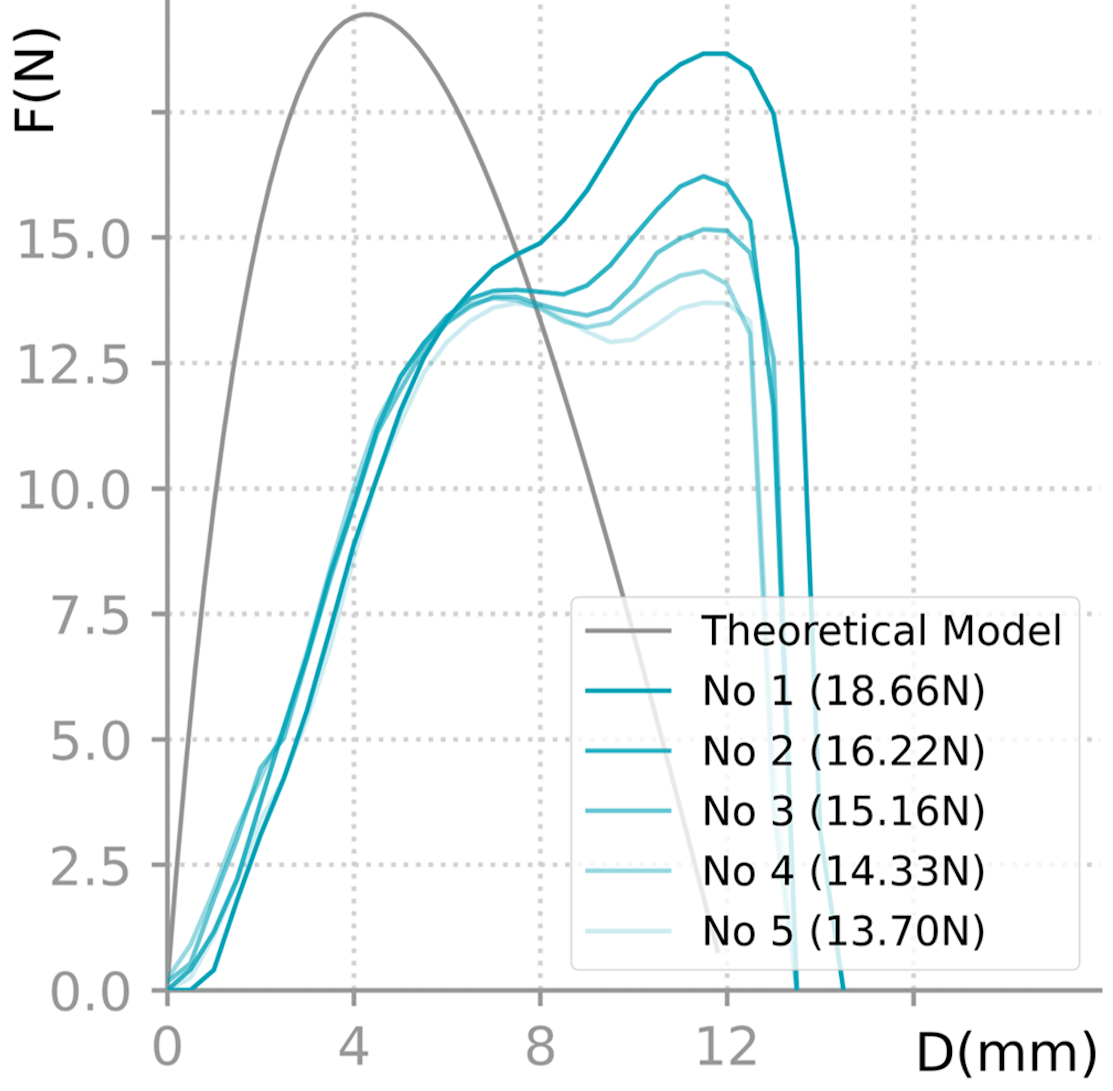 Example force-displacement curve showing how far the test sample was moved (x-axis, mm) versus how much it resisted (y-axis, force in Newtons).
Many projects need to measure how an object responds to force, such as when it’s being pushed or pulled. For example, we might want to test different keyboard buttons to see how hard (force) and how far (displacement) you have to press them before they “click”. There are specialized machines which automatically measure force and displacement at the same time, but they are very expensive. There are also cheaper manually driven devices, where a force gauge is mounted on a stand, and a person pulls a lever to pull or push on the object, but this is rather annoying.
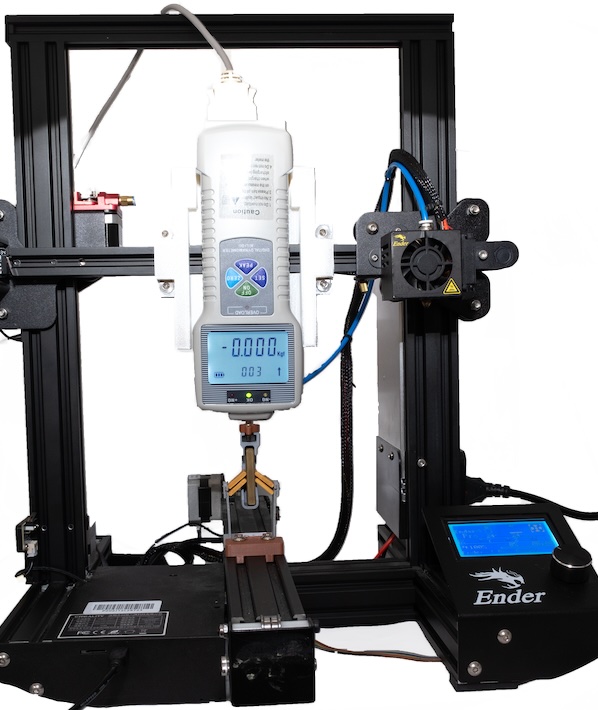 The 3D printer force-meter prototype in action, testing a bistable mechanism’s response to force.
Recently, I recently developed an automatic force-displacement meter using a 3D printer as an automatic test stand, with an off-the-shelf force gauge mounted on it. I wrote some software and did some basic testing and it seems to work. A subsequent Project Outside of Course Scope student improved the software, adding a GUI. But there is more to do in order to make this into a useful tool for science!
The 3D printer force-meter prototype in action, testing a bistable mechanism’s response to force.
Recently, I recently developed an automatic force-displacement meter using a 3D printer as an automatic test stand, with an off-the-shelf force gauge mounted on it. I wrote some software and did some basic testing and it seems to work. A subsequent Project Outside of Course Scope student improved the software, adding a GUI. But there is more to do in order to make this into a useful tool for science!
Here are several things this project involves (these can be adjusted for individual skills, interests, and thesis vs project):
- Survey a variety of papers from the HCI literature to see how they measure force and displacement. People who aren’t materials scientists don’t tend to buy the really expensive machines, so there are a variety of methods people have used instead. Finding out how researchers are doing this kind of measurement now can help us figure out what the tool needs to support.
- Improve the phyiscal hardware
- Better mounting: right now I have the force gauge mounted on a partially-disassembled Ender3 3D printer. It would be nice to have an option to use it with an intact printer.
- Test other printers: not everyone has an old Ender3. What needs to be changed to make it mount on other printers?
- Test other force meters
- Improve test procedure synchronization. Right now, testing happens by moving the printer’s z-axis down by some tiny increment, stopping, reading the force from the gauge, then repeating. This is slow and also might miss some kinds of force events like a sudden bump or snap. I also tried just telling the printer, “move down by 100mm” and then reading from the meter, but the problem with that is trying to synchronize the printer movement from what’s being read. Solving this problem will start with running some tests to see what kind of delays occur between sending commands from the computer and receiving results.
- Characterize the tool: how much force can the printer exert before it starts moving out of alignment? How repeatable are the force measurements? How reliable is the printer movement distance? Do all of these work for the use cases found in the literature?
- Test and improve the GUI
- Probably some other things!